
00:00:00
外卖卷:非常划算 扫码领劵 省点小钱钱

下面是我在电脑上安装的一些值得推荐的 CLI 工具。
帮我安装飞书 CLI:https://open.feishu.cn/document/no_class/mcp-archive/feishu-cli-installation-guide.md你在 Obsidian 中能做的任何事,都能通过命令行完成。 https://obsidian.md/zh/clihttps://github.com/kepano/obsidian-skills/blob/main/skills/obsidian-cli/SKILL.md
在命令行中使用GitHub。 https://docs.github.com/en/github-cli/github-cli/quickstart#about-github-cli
https://x.com/manateelazycat/status/2054427205317616086?s=20
https://github.com/jackwener/wx-cli
https://github.com/teng-lin/notebooklm-py
让 AI Agent 操作任意网站,wx-cli / tg-cli / discord-cli 全部接入。群消息、聊天记录、朋友圈、收藏夹——全部可以用 CLI 直接拿到。 https://opencli.info/https://github.com/jackwener/opencli/blob/main/README.zh-CN.mdhttps://www.dqtx.cc/posts/aihacks/open-cli/
追踪 Claude Code 和 Codex 等本地 AI Agent 的 Token 消耗与成本,提供 CLI 状态栏和交互式 Dashboard 实时监控。 https://github.com/stormzhang/token-tracker 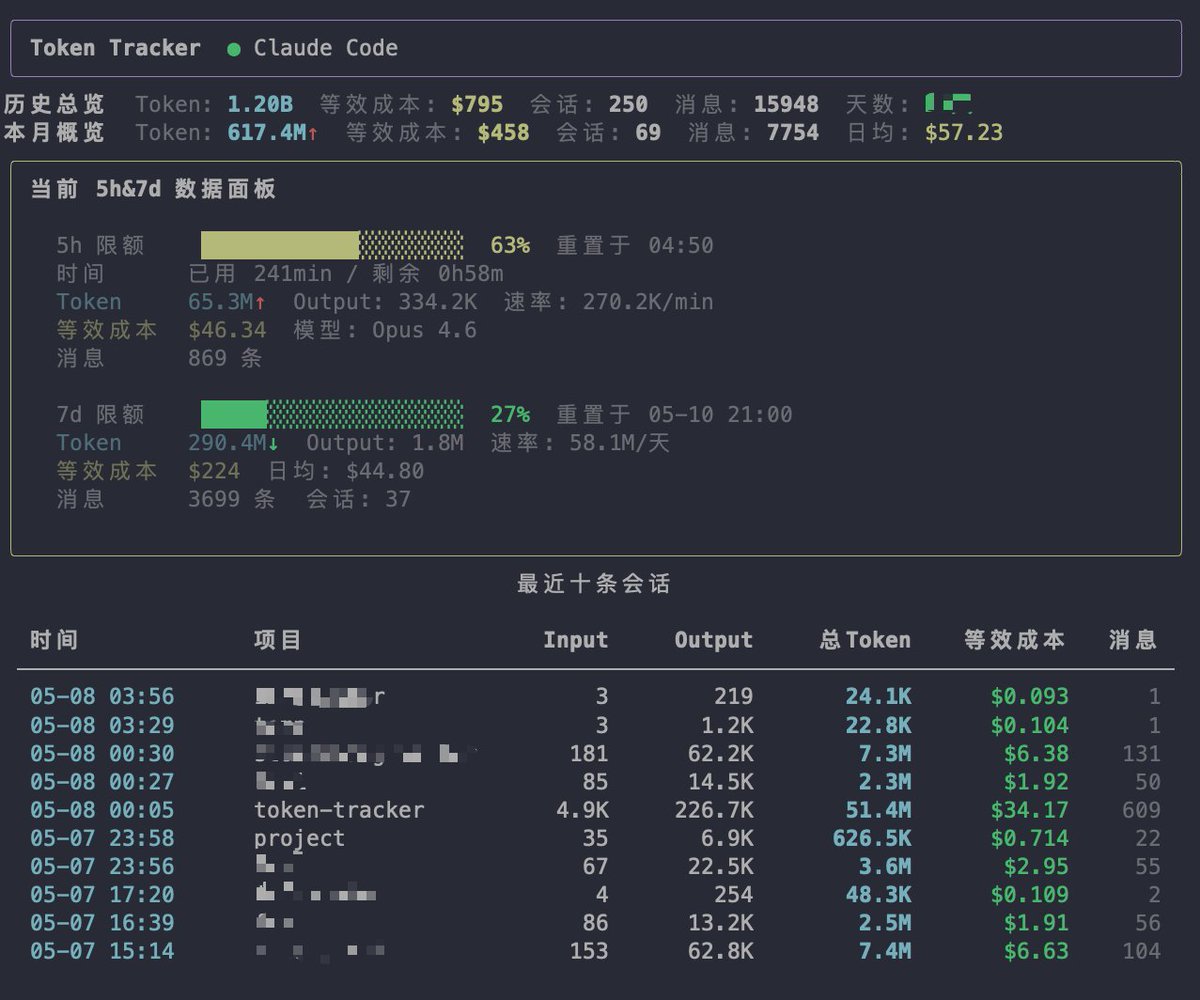
一个命令行工具,能让 Claude Code、Codex 这些 Agent 直接读取我们本地的微信数据,做查询、分析和总结。
GitHub: https://github.com/jackwener/wx-cli

把用纯 HTML 写的那个动效变成视频
一个 Gmail 只读 CLI gcli,一个 Gmail 只读 CLI
cll工具导航 https://clidirs.com/category
评论